SureSend AI: live
StatusLive inside SureSend AI
Where it showsOn each SureSend contact
On a contactMLS search with map and draw-an-area, saved searches with alerts, homes viewed and saved, send a listing
Bigger screenPop out to the full RealSavvy search, already set up for that client
From your websiteRegistrations, property views, saved homes and inquiries
Connect withYour SureSend team token, verified before saving
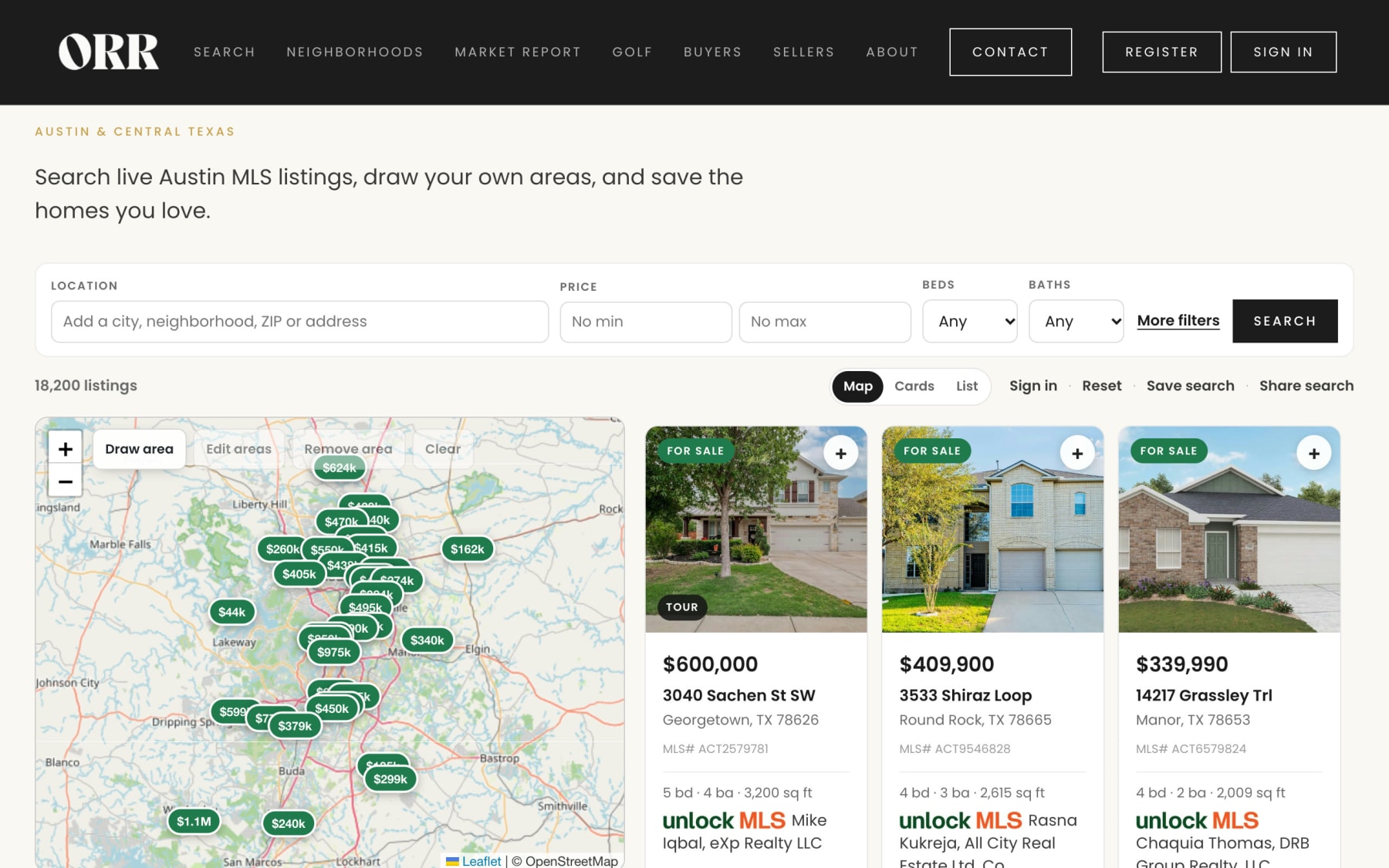
Native MLS search on an agent website
Native MLS search on a RealSavvy website, live MLS data.

Inside SureSend

Work the search from the contact.

Search for the client

Open a contact and search the MLS with the map, filters and draw-an-area.

Save it, they get alerts

Save the search for that contact and new listings go to them on the schedule you pick.

See what they look at

The homes they viewed and saved on your site, right on the contact.

Send a listing

Share a home with the client straight from the listing.

Pop out for a bigger screen

Open the full search in a new tab, set up for that client, then return to SureSend.

Follow Up Boss too

Running both? The same app works inside Follow Up Boss, and activity can go to both.

From your website

Buyer activity lands on the same contact.

Registrations

A buyer signs up on your site, and SureSend knows right away.

Property views

Each home a buyer opens, with the address, beds, baths, square feet and a link.

Saved properties

The homes they mark to come back to. Usually the best clue to what they want.

Inquiries

When a buyer asks about a home, so the call starts with the right house.

Connect it in a few minutes

  1. Start RealSavvy: the IDX widget for the site you have, or a RealSavvy website.
  2. A team admin signs in to the RealSavvy portal, opens My Profile and pastes your SureSend team token. We check it with SureSend before it's stored.
  3. Open a contact in SureSend. Build their search in RealSavvy and save it.

The full setup guide, with screenshots: buying, connecting your SureSend team, and using it on a contact. You can also find us in the SureSend marketplace.

What else comes with it

Native MLS search from 300+ MLS feeds on your own domain. Savvy Studio, where you edit your site by typing what you want. The RealSavvy connector, so you can build and edit from Claude or ChatGPT. And answer pages written to be found in AI search.

Running Follow Up Boss too?

Keep it. RealSavvy works inside Follow Up Boss the same way and can send to both at once. See how the two compare for IDX, or every CRM we connect. Want to look around first? Try the self-guided demo.

Updated November 17, 2026.
Pricing

Two ways in, month to month.

FAQ

SureSend questions, answered.

Does RealSavvy work inside SureSend AI?

Yes. RealSavvy runs inside SureSend on each contact: search the MLS, save searches that send the client new listings, see the homes they viewed and saved, and send a listing. More on SureSend and IDX.

What does my website send to SureSend?

Registrations, property views, saved properties and inquiries, as they happen, with the address, beds, baths, square feet and listing link. Event by event.

How do I connect it?

A team admin pastes your SureSend team token into the RealSavvy portal under My Profile. We verify the token with SureSend before saving it. The full steps.

Can I keep Follow Up Boss connected too?

Yes. Both can receive activity at the same time. How teams run both.

What does it cost?

Website + IDX $199/mo plus a $250 setup. IDX widget for your current site $99/mo plus a $99 setup. Teams from $299/mo. Month to month, same price with any CRM.

Put MLS search inside SureSend.

Pick what you need and see your exact price in two minutes, then sign and pay online. Want to look around first? Click through the real product, no sign-up needed.
